
Creating clear, interactive API documentation is a critical part of developing a maintainable and accessible web service. Swagger UI serves as a dynamic documentation interface for developers, and integrating it into your Ruby on Rails project can greatly enhance the developer experience. In this post, we break down the process of setting up Swagger UI using two popular gems, grape-swagger for Grape APIs, and rswag for RSpec API documentation.
Part 1: For Grape APIs
Grape is a REST-like API micro-framework for Ruby that’s designed to run on Rack or complement an existing web application framework such as Rails. Grape-swagger provides an autogenerated documentation for your Grape API.
Step 1: Installing grape-swagger
Add grape-swagger to your Gemfile and run bundle install to add it to your project:
gem 'grape-swagger'And then execute:
bundle installStep 2: Configuring grape-swagger
Set up an initializer for grape-swagger:
# config/initializers/swagger.rb

if defined?(Grape)
  GrapeSwaggerRails.options.url      = "/api/swagger_doc"
  GrapeSwaggerRails.options.app_name = "MyApp"
  GrapeSwaggerRails.options.app_url  = "/"
end
Step 3: Defining API Entities and Documentation
You need to define your API entities so that grape-swagger can document them:
# app/api/entities/my_entity.rb

module API
  module Entities
    class MyEntity < Grape::Entity
      expose :id, documentation: { type: 'Integer', desc: 'ID of the entity' }
      # ... further code ...
    end
  end
end
Step 4: Adding Swagger Endpoints
In your API base class, add the swagger documentation route so it can serve the Swagger JSON:
# app/api/base.rb

class API::Base < Grape::API
  add_swagger_documentation
end
Step 5: Viewing Your Swagger Documentation
You can now access your Swagger UI by navigating to http://localhost:3000/swagger.
Part 2: For Rails App using RSpec
rswag integrates with RSpec to automatically generate Swagger-compatible API docs based on your API tests.
Step 1: Installing rswag-specs
Add rswag-specs to your Gemfile and install it:
gem 'rswag-specs'And then execute:
bundle installStep 2: Generating Configuration and Files
Run the RSwag generator to create initial configuration and directories for your API specs:
rails g rswag:installStep 3: Writing Request Specs with Swagger DSL
Create a spec file and use RSwag’s DSL to both test your endpoints and document them:
# spec/integration/my_api_spec.rb

require 'swagger_helper'

describe 'My API' do
  path '/my_api/endpoint' do
    ...
    get 'Retrieves something' do
      produces 'application/json'
      response '200', 'successful' do
        schema type: :object,
               properties: {
                 id: { type: :integer }
               },
               required: ['id']

        # Your test code goes here
      end
    end
  end
end
Step 4: Accessing Your API Documentation with RSwag UI
RSwag provides a Swagger UI that you can access on http://localhost:3000/api-docs. This UI directly reflects the specs you’ve written.
Alternative
If you don’t want to write RSpec, or you are not using GrapeAPI. You can try our latest automation tool: Cordyline.
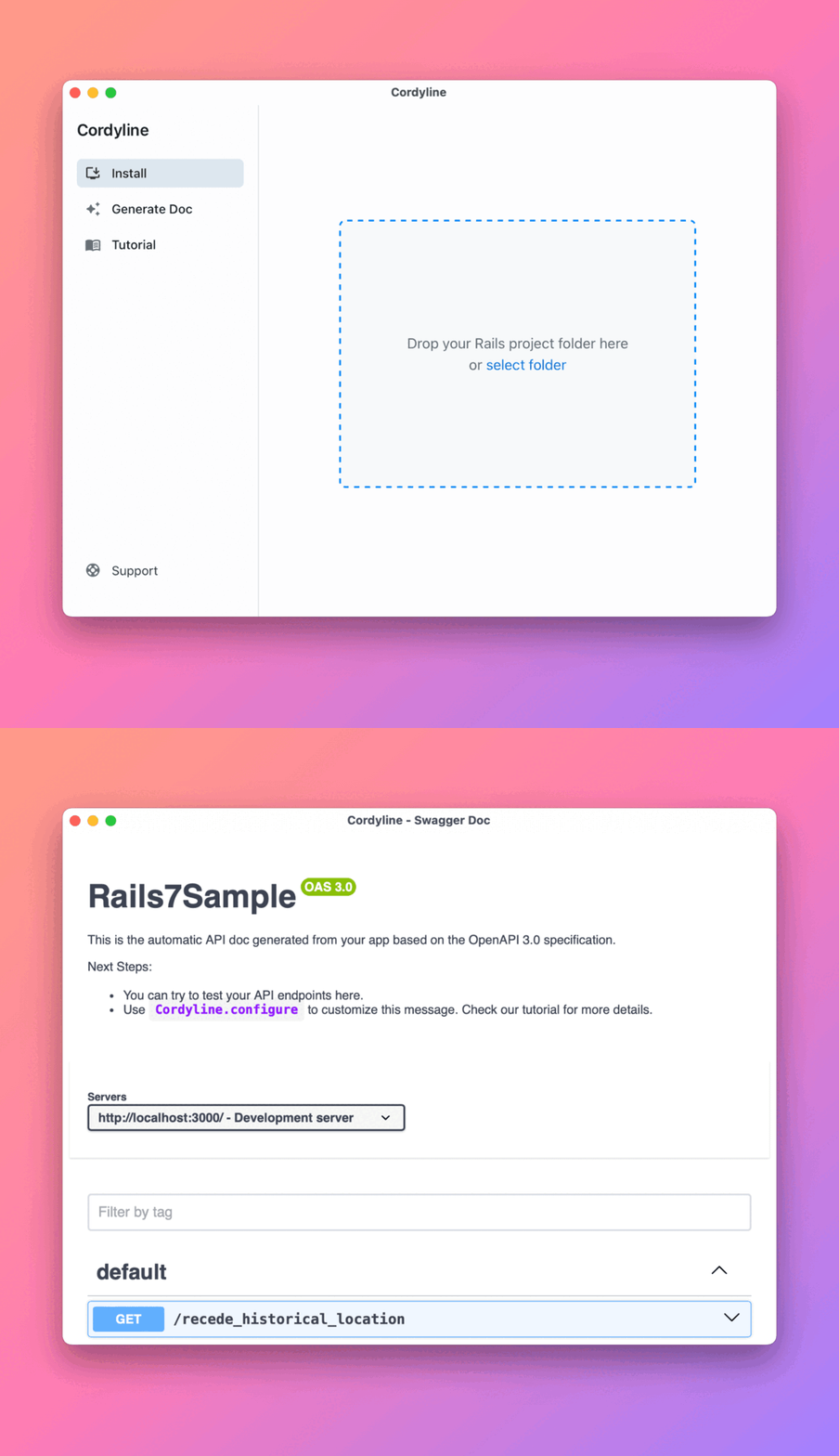
Just a single drag & drop, we will generate the whole Swagger Doc for you without a single line of code.